
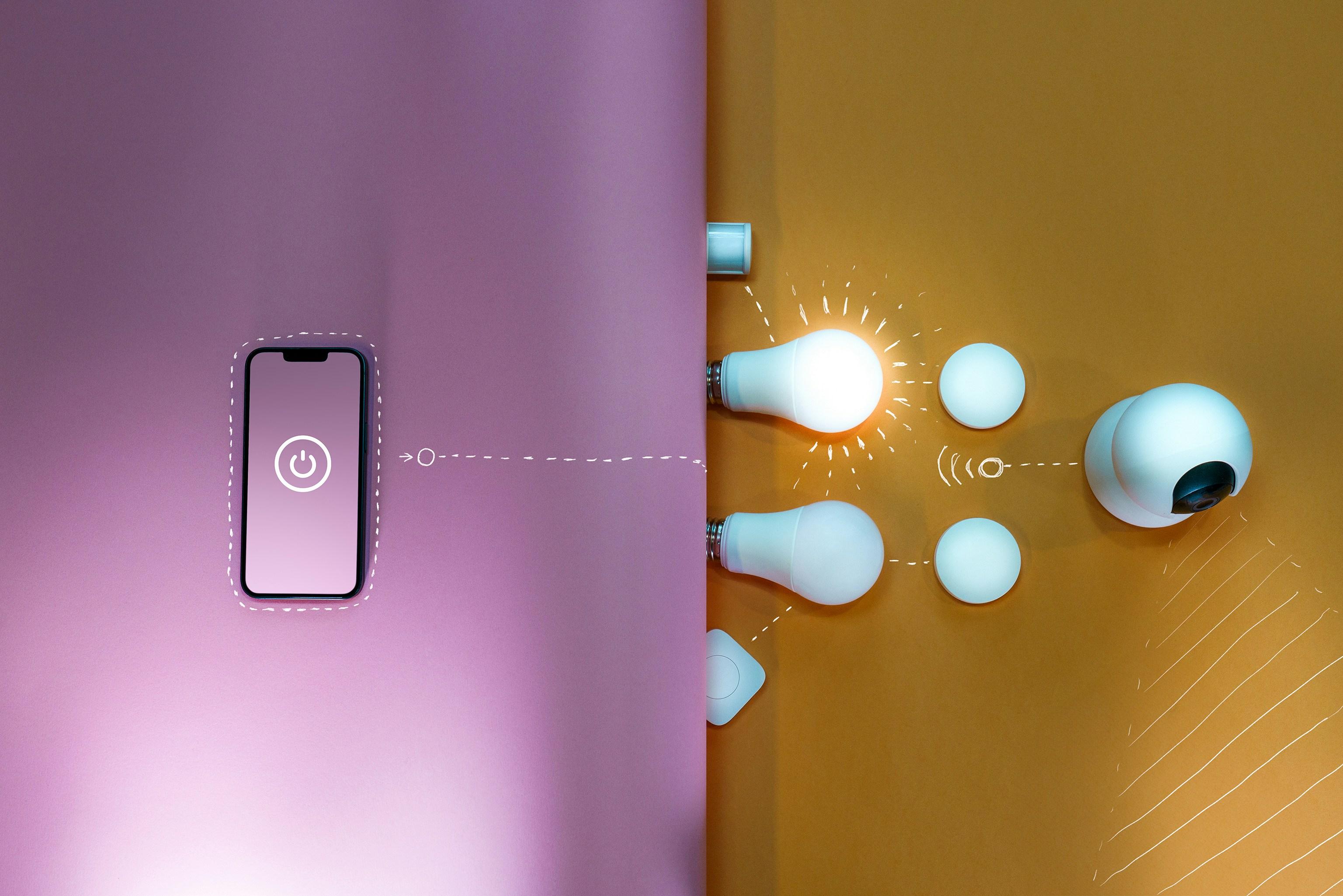
Your First Smart Home: A No-Jargon Guide to Automating Your Life
Smart home technology has evolved from luxury novelty to practical mainstream, yet many people remain intimidated by the technical complexity and overwhelming options. The truth is that creating a smart home doesn't require engineering expertise or massive budgets—just a clear understanding of what's possible and a strategic approach to implementation.
This guide cuts through the technical jargon to provide a straightforward roadmap for transforming your living space into a more convenient, efficient, and secure smart home. We'll start with simple, high-impact devices and gradually build toward more advanced automation, all while keeping explanations accessible and practical.
Understanding Smart Home Basics: No Engineering Degree Required
Before purchasing any devices, understanding these fundamental concepts will prevent frustration and compatibility issues.
What Exactly is a 'Smart Home'?
A smart home uses internet-connected devices to automate tasks, provide remote control, and create systems that work together. The goal isn't technology for technology's sake—it's creating a home that works better for you.
Communication Protocols: The Languages Smart Devices Use
Smart devices communicate using different 'languages' or protocols. The main ones you'll encounter:
- Wi-Fi: What your computer and phone use. Familiar but can congest your network
- Zigbee: Low-power, mesh network (devices extend the signal)
- Z-Wave: Similar to Zigbee but different frequency, popular for security devices
- Bluetooth: Short-range, good for personal devices but not whole-home automation
- Thread: Emerging protocol designed for better reliability and interoperability
- Matter: The new universal standard designed to work across ecosystems
Simple advice: For beginners, Wi-Fi devices are easiest to start with, but consider Zigbee or Z-Wave for larger setups.
Hubs, Bridges, and Ecosystems Explained
Many smart devices require a central controller to communicate:
- Hub/Bridge: A device that translates between different protocols (like a universal translator)
- Ecosystem: A company's collection of devices and platform (Amazon Alexa, Google Home, Apple HomeKit)
- Smart Speaker with Hub: Some smart speakers (Amazon Echo 4th gen, Apple HomePod) include built-in hubs
You don't necessarily need a separate hub to get started, but it expands your options significantly.
Choosing Your Smart Home Ecosystem
Your ecosystem choice determines which devices work best together and how you control them. Here's a straightforward comparison:
Amazon Alexa: The Versatile All-Rounder
Best for: Broad device compatibility, shopping integration, households with mixed device types
Voice assistant: Alexa
Hub options: Echo devices (4th gen and later include Zigbee hub)
App: Alexa app
Key feature: Routines that can trigger multiple actions from single commands
Google Home: The Information Master
Best for: Google users, those who prioritize information and calendar integration
Voice assistant: Google Assistant
Hub options: Nest speakers and displays
App: Google Home app
Key feature: Superior natural language understanding for complex questions
Apple HomeKit: The Privacy-Focused Choice
Best for: Apple households, privacy-conscious users, seamless iPhone/Mac integration
Voice assistant: Siri
Hub options: HomePod, Apple TV, or iPad
App: Home app on Apple devices
Key feature: Strong privacy controls and device encryption
Recommendation: Choose based on which voice assistant you prefer and which company's devices you already use. All three work well for basic smart home functions.
Phase 1: Smart Home Foundation (Under $200)
Start with these high-impact, easy-to-install devices that deliver immediate benefits.
Smart Plugs: The Easiest Entry Point
These devices turn ordinary appliances into smart devices. Perfect for:
- Lamps: Voice control and scheduling
- Space heaters and fans: Turn on before you get home
- Holiday lights: Automated scheduling
- Coffee makers: Wake up to brewed coffee
Installation: Simply plug into existing outlet, then plug device into smart plug. Connect to app following manufacturer instructions.
Recommended models: TP-Link Kasa Smart Plug, Wyze Plug
Smart Bulbs: Transform Your Lighting
Smart bulbs screw into existing fixtures but offer color changing, dimming, and scheduling. Types include:
- White bulbs: Dimming and scheduling only
- White ambiance: Adjustable white light from warm to cool
- Color bulbs: Full spectrum color changing
Installation: Screw in bulb, download manufacturer app, follow connection instructions.
Recommended models: Philips Hue (premium), Wyze Bulb (budget), C by GE
Smart Speaker: Your Voice Control Center
Choose one compatible with your selected ecosystem. Even the most basic models provide:
- Voice control for all connected devices
- Music streaming
- Information and calendar access
- Smart home routines
Placement tip: Central location where you spend most time (living room or kitchen).
Phase 2: Core Convenience and Security ($200-$600)
Once comfortable with basics, these devices deliver more sophisticated automation and peace of mind.
Smart Thermostat: Comfort and Savings
These learn your schedule and adjust temperature automatically. Benefits include:
- Energy savings: 10-12% on heating and 15% on cooling on average
- Remote control: Adjust temperature away from home
- Geofencing: Automatically adjusts when you leave/return home
- Maintenance alerts: Notifies about HVAC system issues
Installation: Requires replacing existing thermostat. Turn off power at breaker, label wires, install new unit. Many utilities offer rebates.
Recommended models: Nest Learning Thermostat, Ecobee SmartThermostat
Video Doorbell: See Who's There
These replace or complement existing doorbells with video capabilities:
- Motion-activated recording: Captures activity at your door
- Two-way talk: Speak with visitors from anywhere
- Package detection: Alerts when packages arrive
- Night vision: Clear video after dark
Installation: Battery models are easiest; wired models require turning off power and connecting to existing doorbell wires.
Recommended models: Ring Video Doorbell, Google Nest Doorbell, Eufy Video Doorbell
Smart Lock: Keyless Entry
Replace traditional deadbolts with keypad, fingerprint, or smartphone-controlled locks:
- Keyless entry: No more fumbling for keys
- Temporary codes: For guests, house sitters, or service people
- Auto-lock: Never wonder if you locked the door
- Access history: See who comes and goes
Installation: Requires replacing existing deadbolt. Measure your door thickness and backset before purchasing.
Recommended models: August Smart Lock, Schlage Encode, Yale Assure Lock
Phase 3: Whole-Home Integration and Advanced Automation ($600+)
With experience and more devices, you can create sophisticated whole-home systems.
Smart Hub: The Brain of Your Smart Home
A dedicated hub unlocks advanced automation and device compatibility:
- Works with multiple protocols: Zigbee, Z-Wave, Wi-Fi, Bluetooth
- Local processing: Some automations work without internet
- Complex routines: Multi-condition automations
Recommended models: Samsung SmartThings Hub, Hubitat Elevation (more technical)
Multi-Room Audio: Whole-Home Music
Sync music across multiple speakers throughout your home:
- Speaker groups: Play same music everywhere or different music in each room
- Voice control: 'Play jazz in the kitchen'
- Streaming services: Spotify, Apple Music, Amazon Music integration
Options: Sonos (premium), Amazon Echo ecosystem, Google Nest speakers
Smart Sensors: The Nervous System
These detect changes in your environment and trigger actions:
- Motion sensors: Turn on lights when entering room
- Contact sensors: On doors/windows—get alerts when opened
- Water leak sensors: Under sinks and water heater—alert before major damage
- Temperature sensors: Trigger fans or heaters
Creating Useful Automations: Beyond Basic Control
The real power of smart homes emerges when devices work together automatically.
Beginner Automations
'Good Morning' Routine: Gradually lights brighten, thermostat adjusts, coffee starts, news brief plays
'Leaving Home' Routine: Lights turn off, thermostat adjusts to energy-saving temperature, security cameras activate
'Goodnight' Routine: Lights turn off, doors lock, thermostat adjusts, security system arms
Intermediate Automations
Motion-Activated Lighting: Lights turn on when motion detected, off after no motion
Open/Close Alerts: Get notifications when doors open while you're away
Weather-Responsive Thermostat: Adjust temperature based on outdoor conditions
Advanced Automations
Presence Detection: Using phone location to trigger 'coming home' sequence
Voice-Controlled Scenes: 'Movie time' dims lights, closes smart blinds, turns on TV
Conditional Notifications: 'If back door opens after 10 PM and no one is home, send alert'
Troubleshooting Common Smart Home Issues
Even well-planned systems encounter problems. Quick fixes for common issues:
Device Won't Connect:
- Restart device and router
- Check if device needs firmware update
- Ensure smartphone Bluetooth is on during setup
- Move device closer to router/hub during setup
Device Frequently Disconnects:
- Check Wi-Fi signal strength at device location
- Consider Wi-Fi extender or mesh system
- For Zigbee/Z-Wave, add more devices to strengthen mesh network
Automations Not Triggering:
- Check that all devices in automation are online
- Verify automation conditions are met
- Restart hub if using one
Smart Home Security and Privacy
Protecting your connected home requires attention to these areas:
- Strong passwords: Unique for each device account
- Two-factor authentication: Enable wherever available
- Regular updates: Keep device firmware current
- Network segmentation: Consider separate Wi-Fi network for smart devices
- Privacy settings: Review what data companies collect and how they use it
Getting Started: Your 30-Day Smart Home Plan
A gradual approach prevents overwhelm and ensures each addition provides real value:
Week 1: Choose your ecosystem and purchase a smart speaker plus 2-3 smart plugs
Week 2: Install smart bulbs in most-used rooms and create basic lighting schedules
Week 3: Add video doorbell and create 'coming home' and 'leaving' routines
Week 4: Install smart thermostat and explore more complex automations
Remember that the goal isn't to have the most devices—it's to create a home that works better for you. Start with pain points (forgetting to turn off lights, adjusting thermostat manually, missing packages) and implement solutions for those specific issues.
Smart home technology should simplify your life, not complicate it. By starting small, choosing compatible devices, and gradually expanding as you become comfortable, you'll build a smart home that genuinely enhances your daily routine while providing peace of mind and potential energy savings.
